G20 Unboxing and Installation Guide
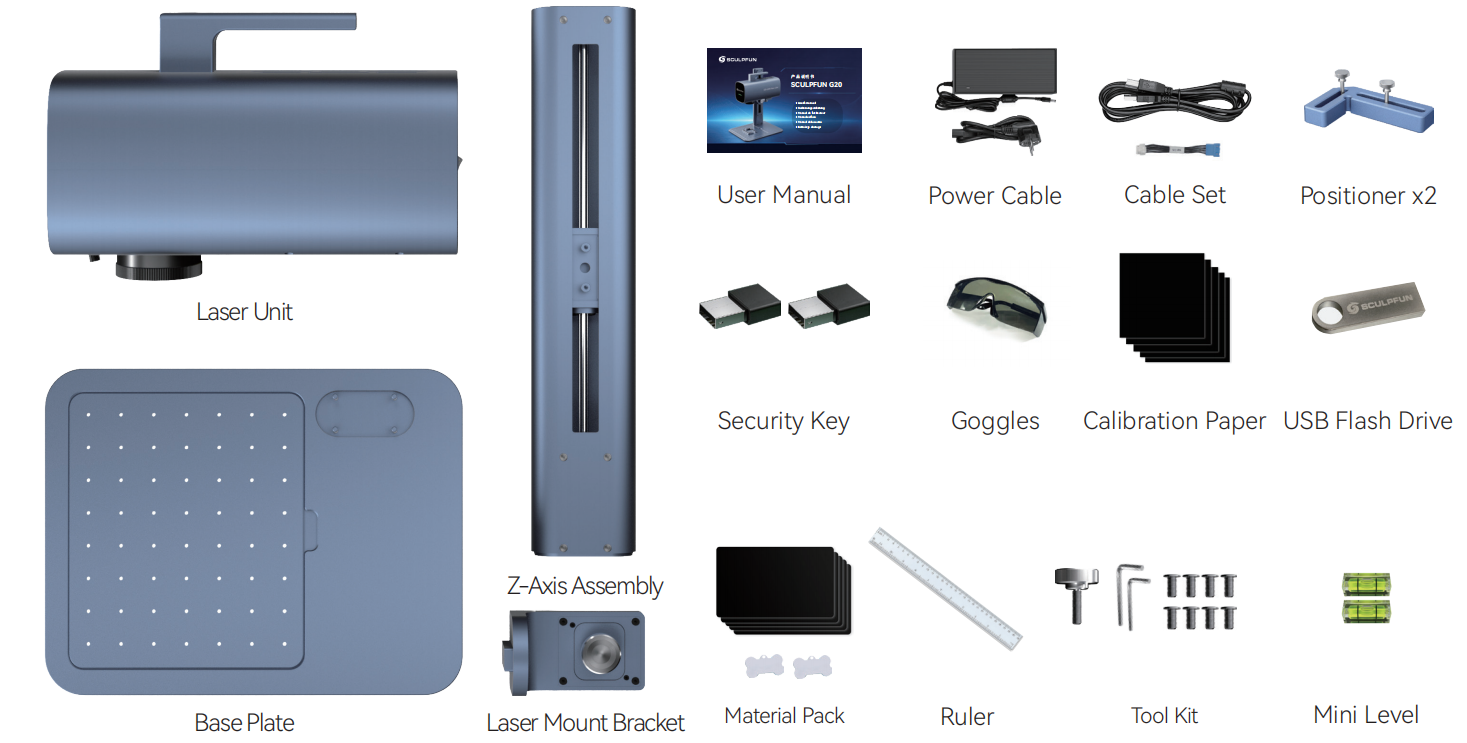
Packing List
Main Unit ×1
Base Plate ×1
Z-axis Lifting Column ×1
Laser Head Mount Bracket ×1
24V 7A Power Adapter ×1
Power Cord ×1
USB Security Dongle ×2
L-shaped Positioning Blocks ×2
PC USB Data Cable ×1
Laser Safety Goggles ×1
Rotary Axis Adapter Cable ×1
User Manual ×1
Tool Kit ×1 (Screws + Wrenches)
4GB USB Flash Drive ×1
300mm Ruler ×1
Spirit Level ×2
Alignment Paper ×5
Consumable Pack (5pcs metal nameplates, 2pcs dog tags)
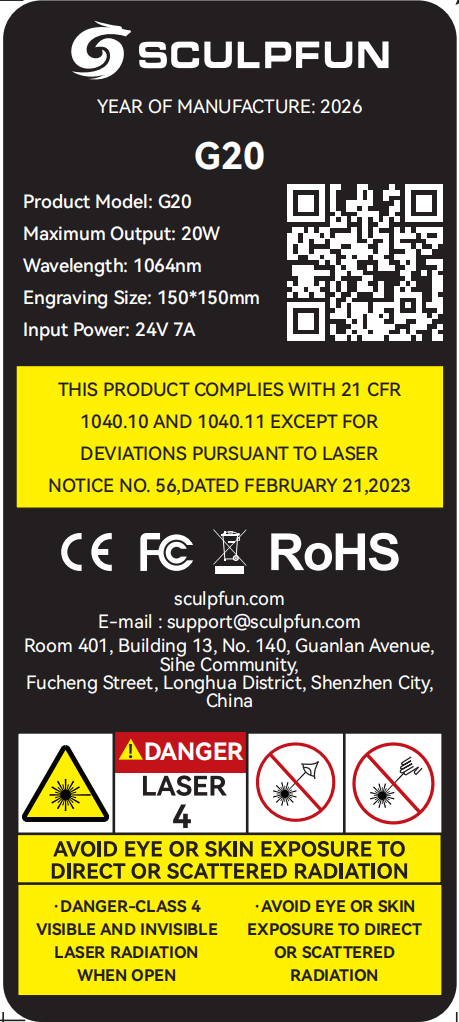
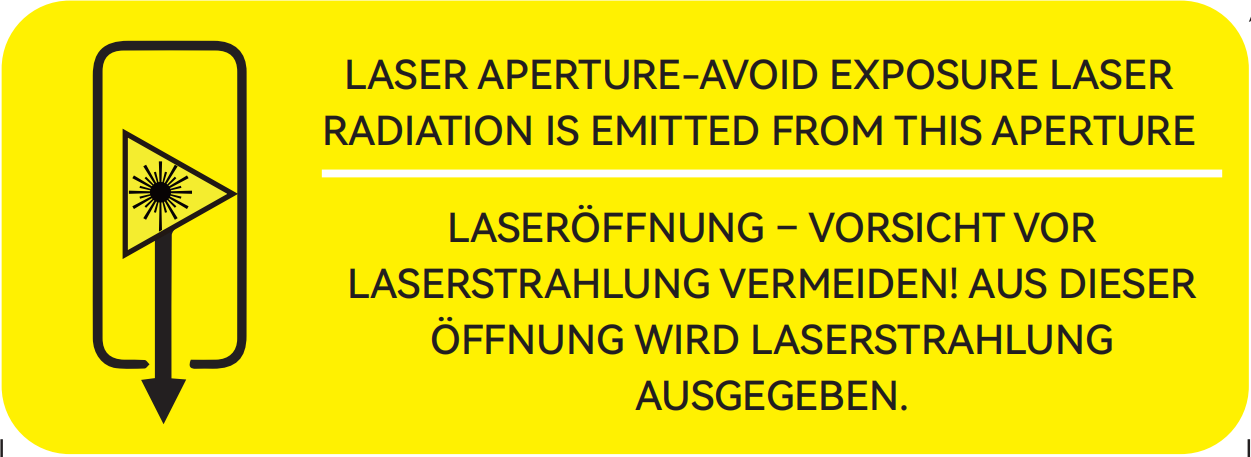
Labels
If the label is damaged, you may download and print a new one using these images.
Machine Assembly
 |
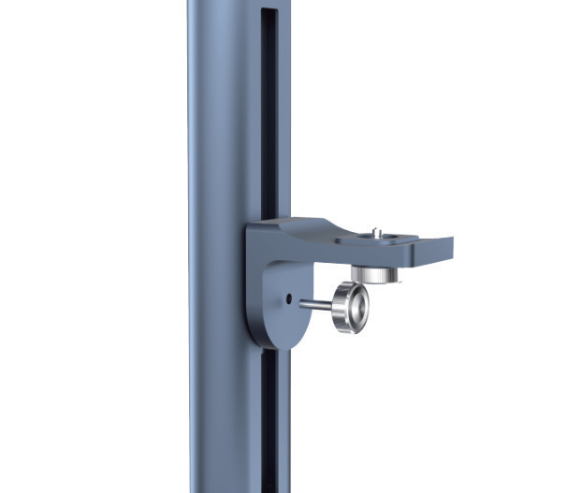 |
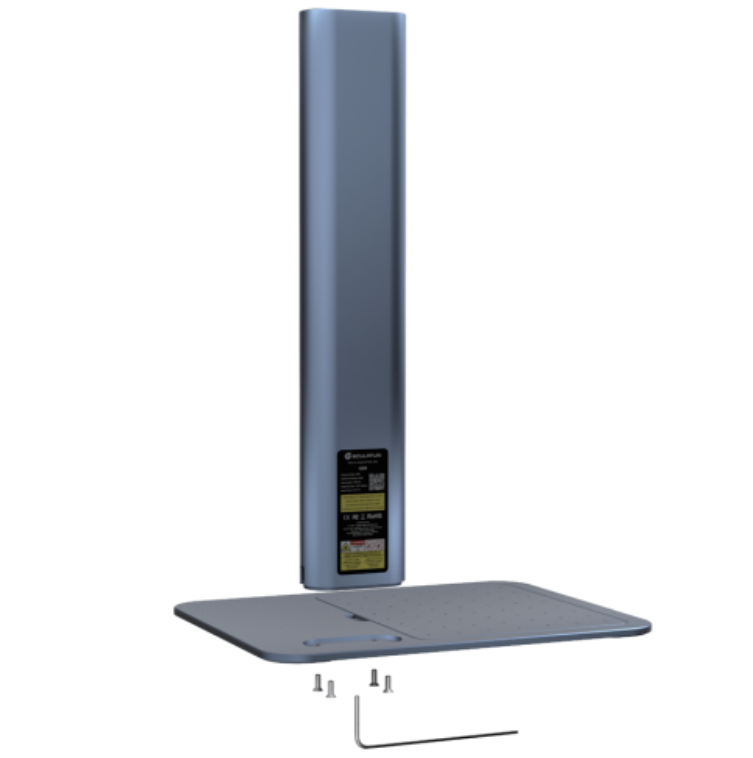
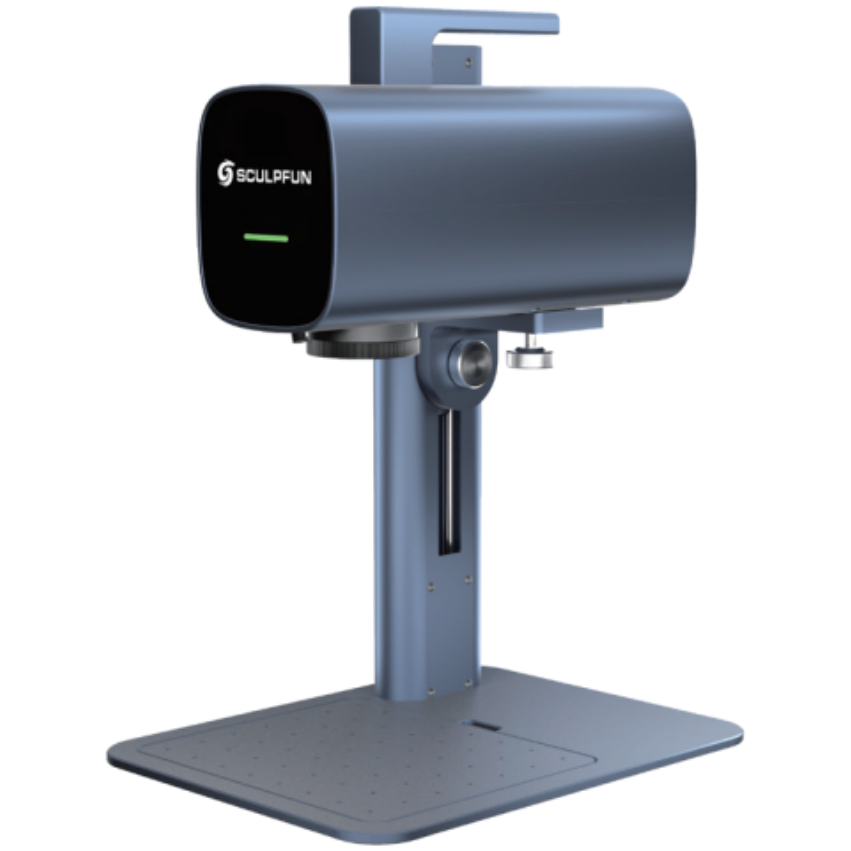
| Take out the base plate and lifting column, and fasten them together with screws. | Take the connecting block and attach it to the lifting column using hand-tightening screws. |
 |
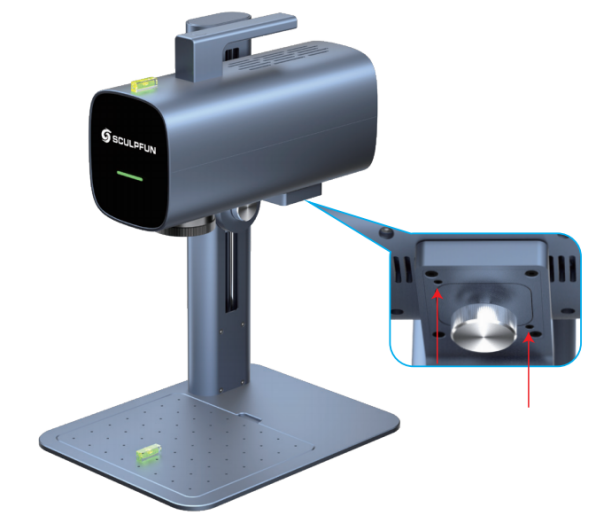 |
| Take the laser module and secure it to the connecting block with hand-tightening screws. | Use the spirit level to check if the laser module is parallel to the base plate. Adjust the set screws beside the hand-tightening knobs to level the laser module. |
 |
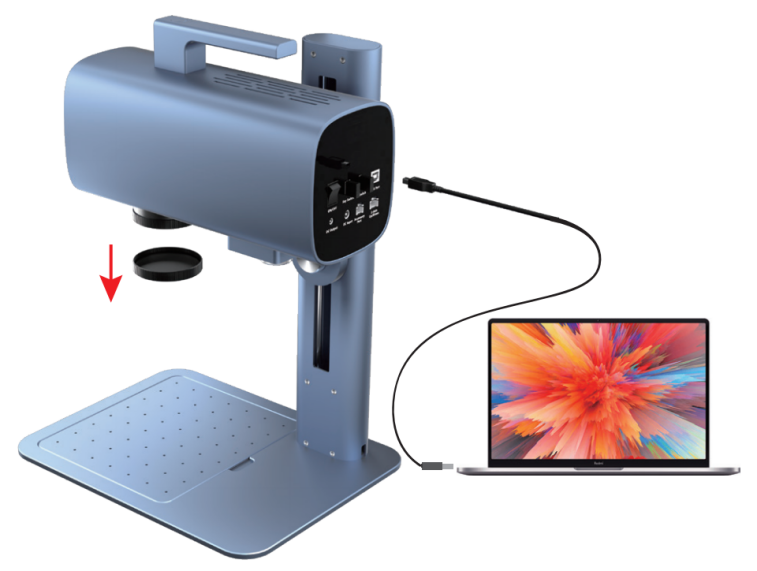 |
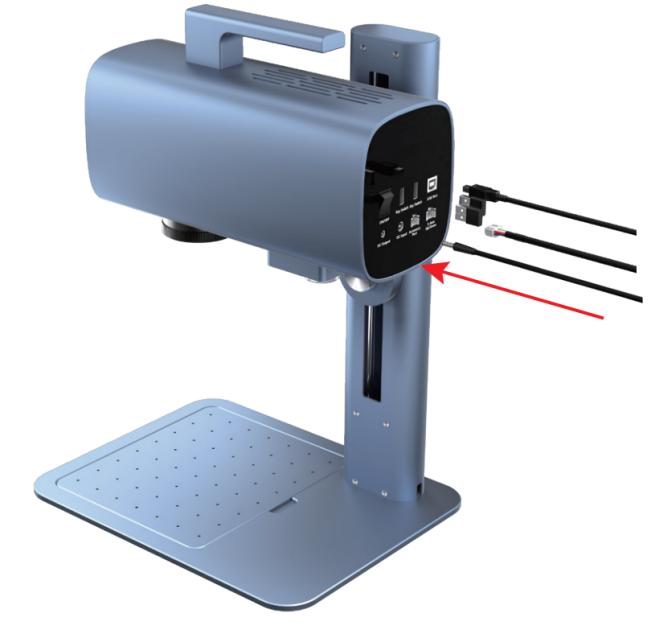
| Connect the power cord, Z-axis data cable, 2 × USB security dongles, and machine data cable. | Plug the other end of the machine data cable into your computer; remove the lens protective cap from the laser module, then flip the machine power switch to ON. |
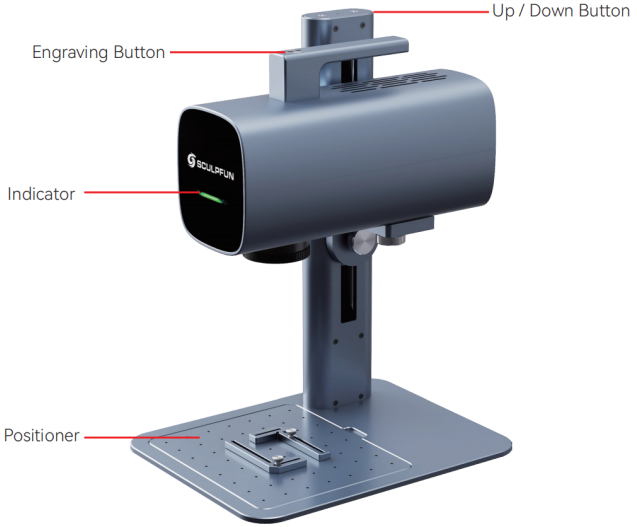
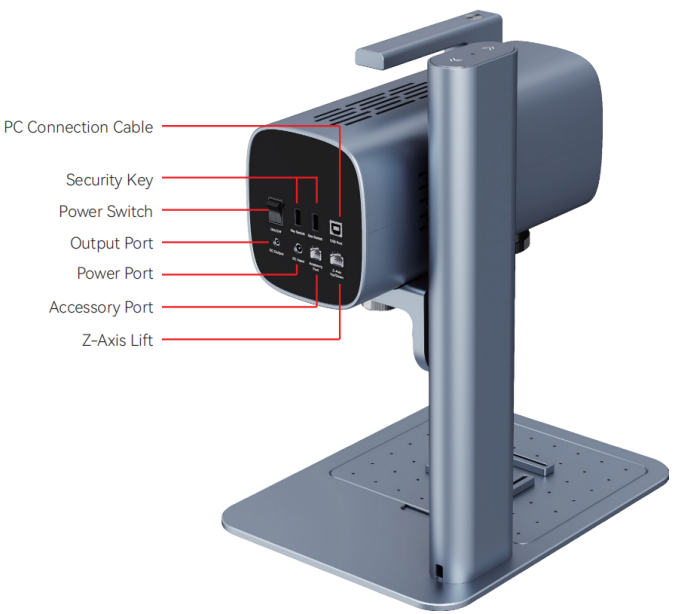
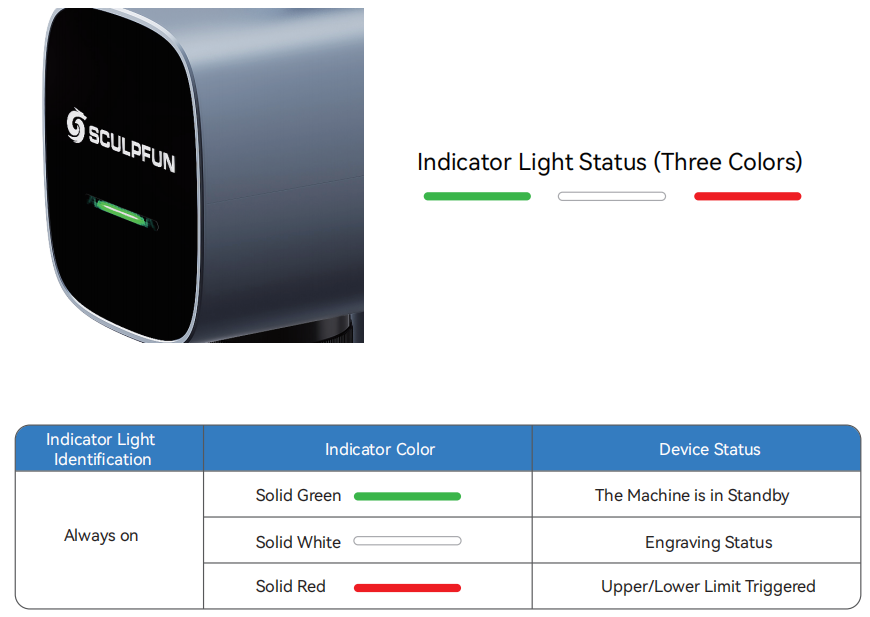
Machine Overview
Technical Specifications
|
G20 Specifications |
|
|
Laser Power |
20W |
|
Laser Wavelength |
1064nm |
|
Input Power Supply |
DC 24V 7A |
|
Marking Area |
150×150mm |
|
Marking Speed |
Max 10000mm/s |
|
Supported PC Systems: |
Windows/MacOS (USB wired connection only) |
|
Supported Mobile Systems: |
Android/iOS (WiFi wireless connection only) |
|
Certifications |
CE / ROHS / FCC / FDA |
|
Supported Software |
SGD Laser (PC & Mobile) / LightBurn (PC only) |
|
Operating Temperature |
10–30℃ |
|
Cooling Method |
Thermoelectric refrigeration + air cooling heat dissipation |
|
Preview Functions |
Bounding box preview, outline preview |
|
Supported File Formats |
SVG / DXF / JPG / PNG / BMP / PLT / AI |
|
Overall Dimensions |
330×250×418 mm |
|
Net Weight |
6.9 kg |