RA Pro Parameter Documentation
LighrBurn
| Model | Roller parameters (object circumference measurement not required) | Chuck type parameters |
|
A9 |
Rotation: 32mm per rotation Roller diameter: 20mm Y-axis motor direction needs to be changed (Y$3=false) |
Rotation: 128mm per rotation Enter the diameter of the cylindrical object to be engraved into the Object Diameter No need to change the motor direction (Y$3=true) |
| S6/S9 The axis of rotation is the Y-axis. (Y$3 defaults to false) |
Rotation: 40.5mm per rotation
Roller diameter: 20mm
No need to change the motor direction (Y$3=false) |
Rotation: 160mm per rotation Enter the diameter of the cylindrical object to be engraved into the Object Diameter Need to change Y-axis motor direction $3 (Y$3=true) |
| S10/S30/ULTRA The axis of rotation is the Y-axis. (Y$3 defaults to false) |
Rotation: 40.5mm per rotation Roller diameter: 20mm No need to change the motor direction (Y$3=false) | Rotation: 160mm per rotation Enter the diameter of the cylindrical object to be engraved into the Object Diameter Need to change Y-axis motor direction $3 (Y$3=true) |
| S70MAX The axis of rotation is the Y-axis. (Y$3 defaults to true) |
Rotation: 32mm per rotation Roller diameter: 20mm No need to change the motor direction (Y$3=true) | Rotation: 128mm per rotation Enter the diameter of the cylindrical object to be engraved into the Object Diameter Need to change Y-axis motor direction $3 (Y$3=false) |
| E1 The axis of rotation is the A-axis. (X$3、A$3 defaults to false) |
Roller diameter 20mm No need to change motor direction (X$3=false, A$3=false) X-axis acceleration $120=500 |
Enter the diameter of the cylindrical object to be sculpted to the object's diameter. Need to change the motor direction (A$3=true) X-axis acceleration $120=500 |
Reference Picture:
| Roller | Chuck |
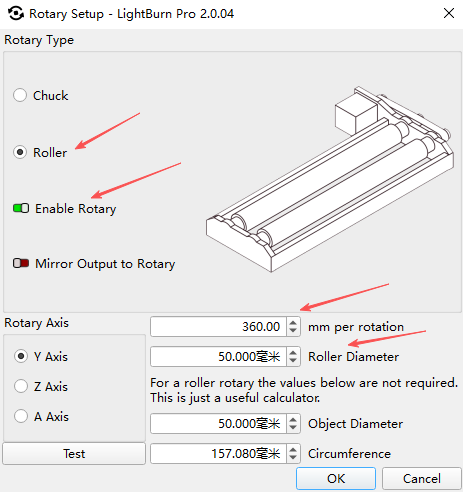 |
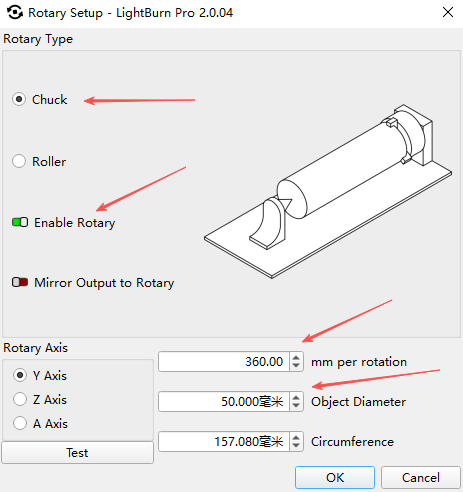 |
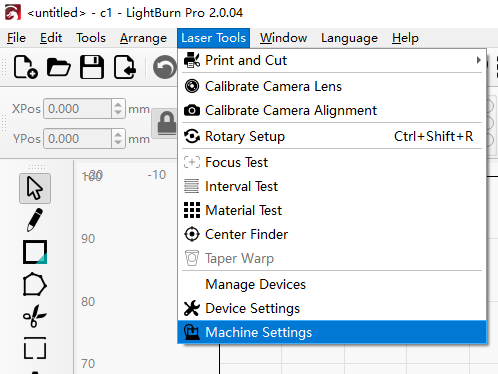
Instructions for changing the motor direction:
Open the Laser Tools - Machine Settings
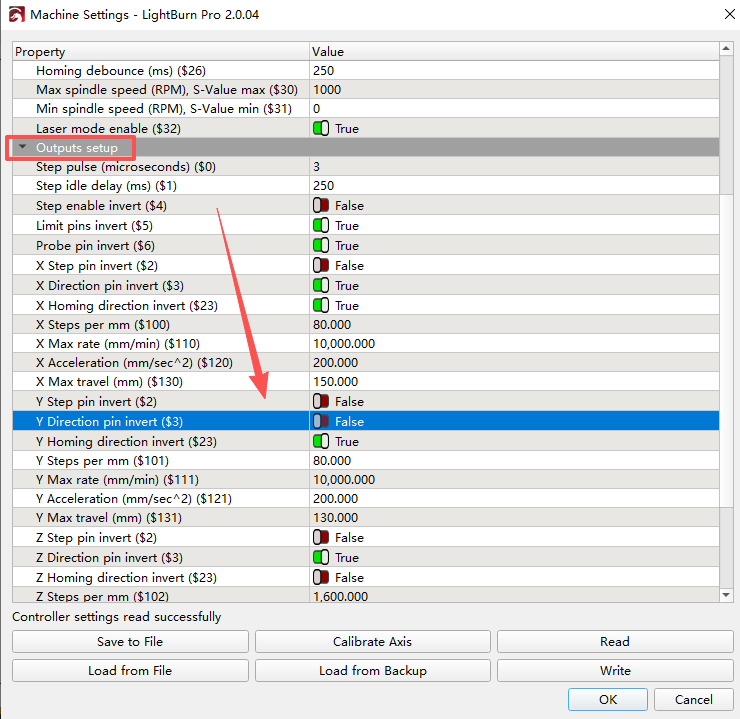
Locate the Outputs setup - Y Direction pin invert (Y$3), and switch the switch according to the machine requirements.
LaserGRBL
| Model | Roller parameters (object circumference measurement not required) | Chuck type parameters |
| A9 | Set GRBL parameter $101=52.6 Change back to original value 100 when not using the roller | Formula: 13000 ÷ (circumference of engraved object) = (value to set for $101) Set GRBL parameter to the calculated value Change back to original parameter when not using the roller Reverse machine Y-axis |
| S6/S9 | Set GRBL parameter $101=52.6 Change back to original value 80 when not using the roller | Formula: 13000 ÷ (circumference of engraved object) = (value to set for $101) Set GRBL parameter to the calculated value Change back to original parameter when not using the roller Reverse machine Y-axis |
| S10/S30/ULTRA | Set GRBL parameter $101=52.6 Change back to original value 80 when not using the roller Reverse machine Y-axis | Formula: 13000 ÷ (circumference of engraved object) = (value to set for $101) Set GRBL parameter to the calculated value Change back to original parameter when not using the roller |
Reference Picture:
| Roller | Chuck |
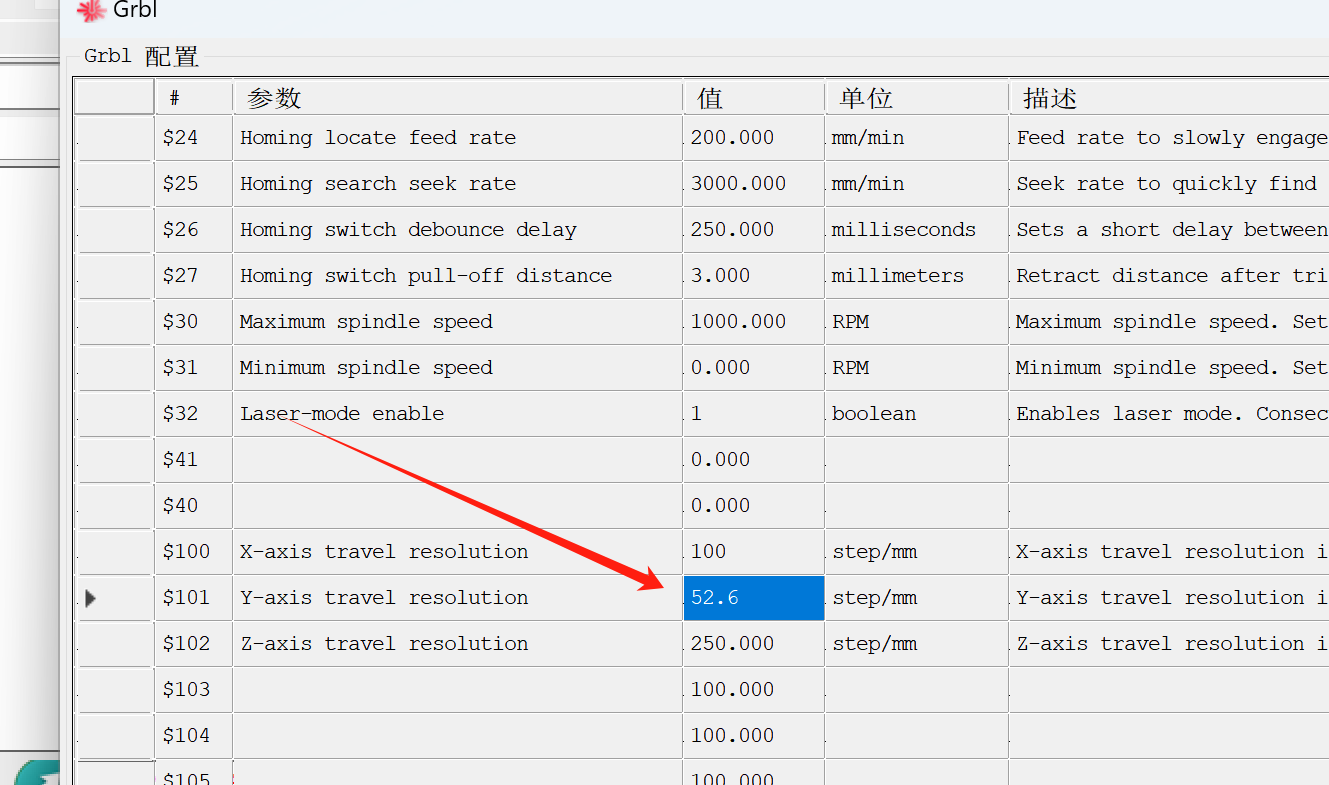 |
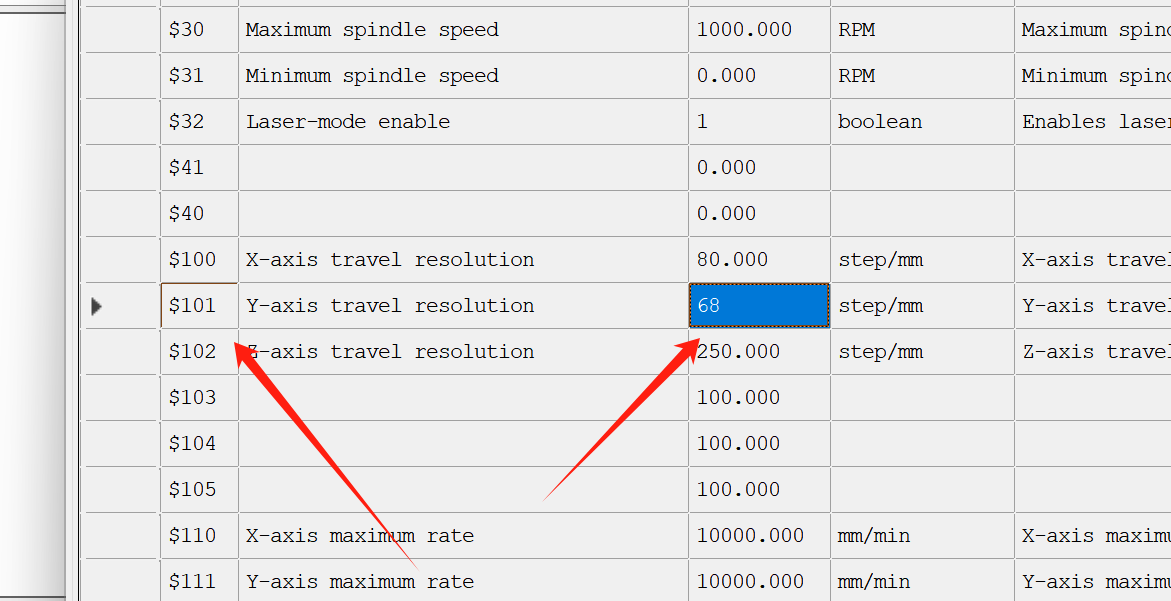 |
Machine Reverse Instructions:
Open GRBL Configuration and find $3.
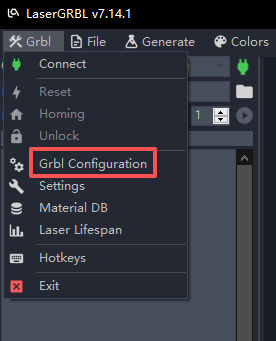
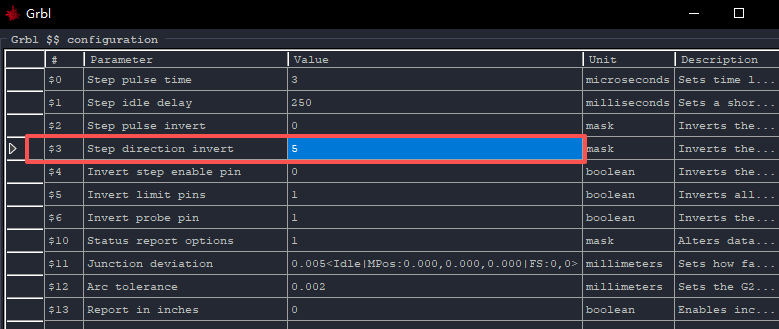
111 to decimal gives 7.
Enter 7 into the $3 parameter to complete the Y-axis inversion.