Sculpfun Space Accessory User Guide
This article mainly introduces the functions of Sculpfun Space. For installation and debugging of machines/accessories, please refer to the respective product documents.
Roller / Chuck
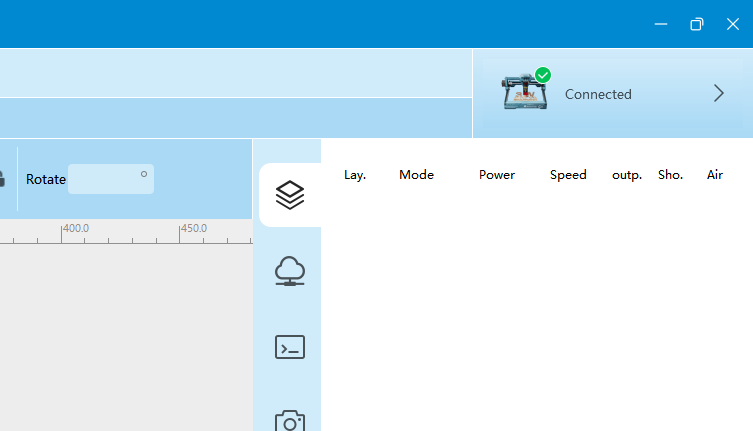
Connect the software to the machine with the roller installed.
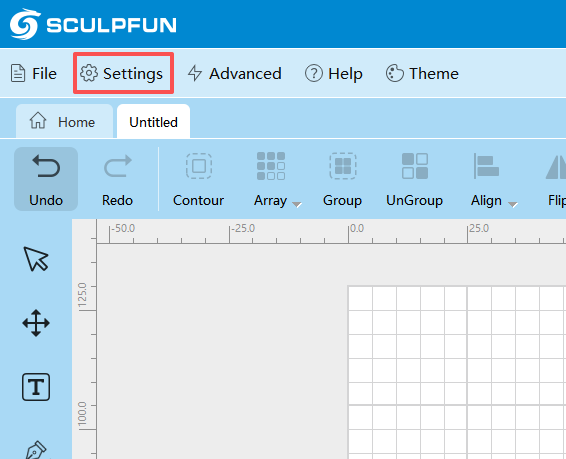
Open Settings
Adjust Rotary Settings in the settings panel
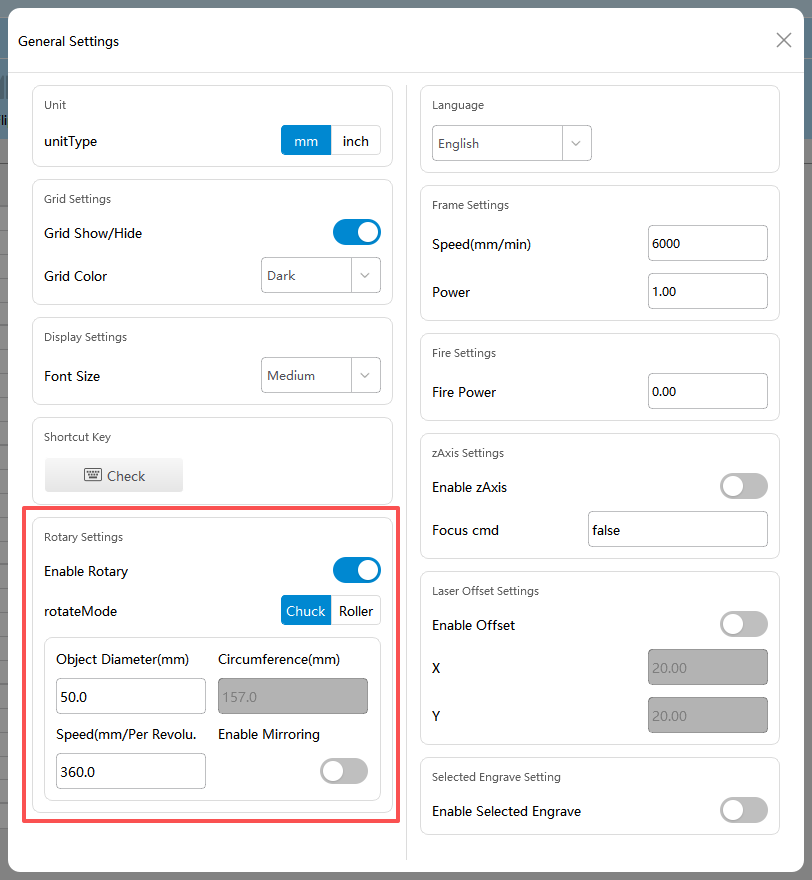
Turn on Enable Rotary. Switch between Roller/Chuck mode as needed.
In Chuck mode, set the engraving object diameter and rotation speed as required.
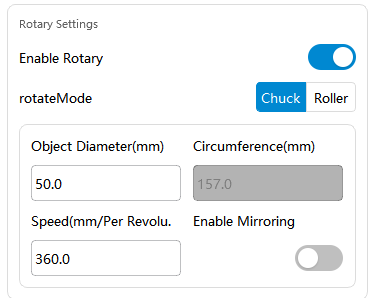
In Roller mode, adjust the roller diameter and rotation speed as required.
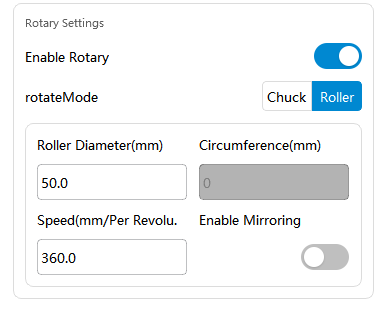
Modify parameters according to different machines and roller accessories. For detailed parameters, see RA Pro Series Parameter Document and RA Mini Parameter Document.
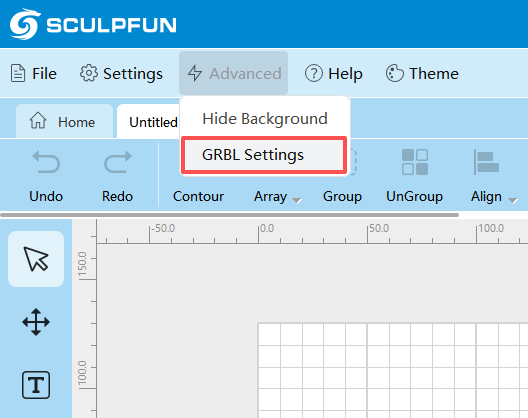
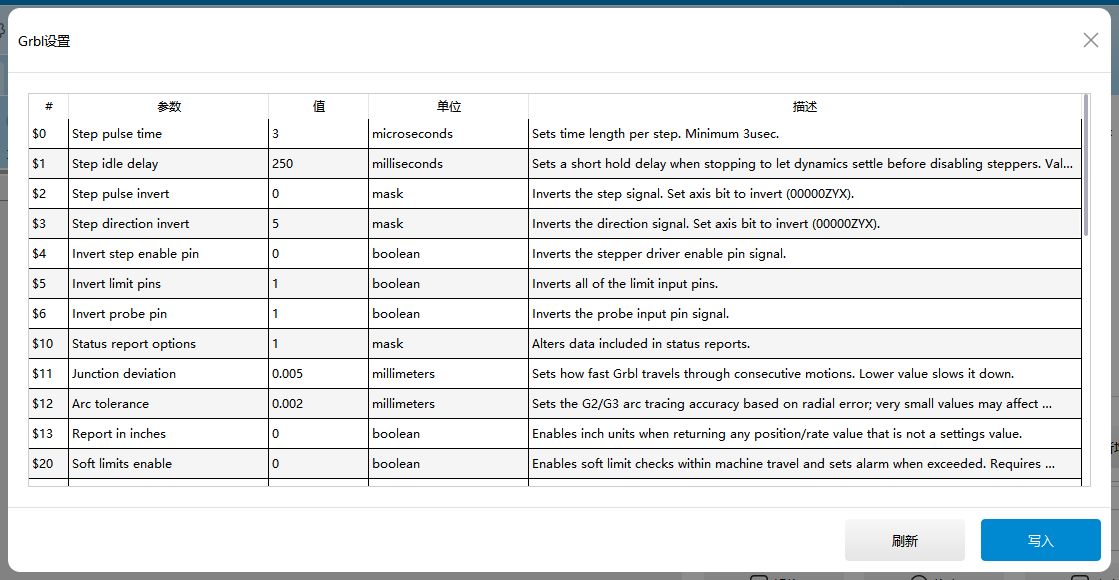
To modify GRBL parameters such as motor direction, go to Advanced - GRBL Settings and find the relevant options.
Camera
Connect the machine and camera communication cable to the computer, then open the software.
After connection, click Camera and select the camera in the upper-right corner of the interface. Usually, the camera name contains the word Sculpfun.
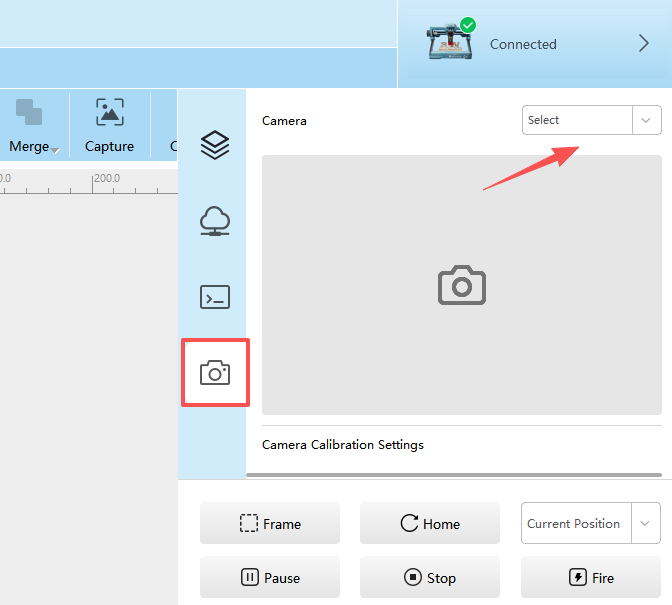
The connection is complete when the camera feed appears. Before use, please calibrate by referring to Sculpfun Space Camera Calibration Tutorial.